
How to Search Criminal Dockets
The North Carolina eCourts Portal is where a public Onslow criminal case search starts. Its Smart Search tool covers the Criminal Actions category. What comes back is the public Case Summary. Another name for it is the Register of Actions. Public searching and viewing cost nothing. No account is needed for that level of access.
Search with the exact identifier you have. A case number or citation number beats a name when similar names crowd the results. The returned assignment also tells you whether District Court or Superior Court holds the case. Names, record numbers, attorney names or bar numbers, business names, cross-reference numbers, and nicknames all work as criteria too. Never construct a case number just because part of it looks familiar.
- Open Portal and choose Smart Search, then use Criminal Actions when an advanced case-type filter is needed.
- Enter a case number, citation number, or another supported identifying term and narrow carefully if more than one public result appears.
- Open the matching Case Summary and read Case Information, Assignment Information, Party Information, and the chronological Case Events.
- Review the separate Hearings and Dispositions portions, along with Financial Information when that component is present.
- Use the Onslow County Clerk of Superior Court for a public paper or electronic file, a copy, or certification rather than treating a Portal printout as official.
Onslow County Criminal Docket Smart Search
Smart Search is the named public-search layer for Onslow criminal records, not a separate county database. The Judicial Branch's Portal training resources describe the Case Summary as a near-real-time view. Odyssey data is processed first, then the summary updates. It works well as a reading tool. Even so, the precise event text in the individual case controls over any assumed statewide shorthand.
Portal handles public searching, reading, and eligible payments. It is not for filing a criminal document. Parties and attorneys with an electronic filing task use North Carolina File & Serve instead. That separation matters. A searchable Case Summary can show that activity occurred without making every filed item public or downloadable.
Search result limit: “No cases match” can reflect a spelling or format problem, a case that does not exist, or a case type that public Portal users may not see. It is not proof that a case was never filed.
What a Criminal Docket Shows
Onslow's public criminal Case Summary follows a verified structure. It is not a fixed list of charge or plea labels. It identifies the case and its court assignment. It also organizes the parties. Then come Case Events, Dispositions, Hearings, and any financial information that applies. Read the event history in date order. Compare the newest event with the Hearing or Disposition module when one appears.
| Case Number | An Enterprise Justice number can follow the documented pattern YYCR######-660 or YYIF######-660; the final 660 identifies Onslow. Use the number Portal returns rather than guessing one. |
|---|---|
| Case and Assignment | Case Information and Assignment Information identify the public case and its court or judicial assignment. |
| Parties and Events | Party Information organizes the listed roles, while Case Events provide the chronological record of procedural activity. |
| Hearings | The Hearings component is the current Case Summary place to look for a setting, then it should be checked against Search Hearings or the court office. |
| Disposition | Dispositions records an outcome when entered. Official Portal documentation does not establish a universal Onslow menu of disposition codes or labels. |
Reading an Onslow County Criminal Docket Number
An Enterprise Justice case number has four published parts. There is a two-digit year, a letter case type, a six-digit sequence, and a three-digit county identifier. Onslow's county identifier is 660. CR and IF are useful examples. The letters help steer criminal or infraction searches, but they are not a license to invent a case number or treat every letter combination as a complete public code list.
Portal allows wildcards. For a case number, type at least four characters followed by an asterisk. Party-name wildcards work differently. The official guidance asks for at least three characters plus an asterisk on the last name, and at least one character plus an asterisk on the first. These options narrow a public search when the full number is unknown, without asking for sensitive information.
Stages on a Criminal Docket
A criminal Case Summary can be read as a sequence. Its labels vary by case, though, and not every stage appears in every public record. In Onslow, the defensible path runs this way. First comes initial criminal process or charging activity. Then a hearing or setting follows. After that may come a motion or other Case Event, then a disposition, assessment or payment where applicable, and possibly an appeal. Trust the actual Case Event. Its text and date beat any generic label applied in advance.
Case Summary flow: Initial process or charge › Hearing or setting › Motion or other Case Event › Disposition › Assessment or payment when applicable › Possible appeal
Felony activity often starts in the lower courts. Then it may reach Superior Court for trial. A later appeal is a procedural development in the underlying case. The appeal gets its own docket too. It sits in the North Carolina Court of Appeals. Portal lets you follow the local case first, without assuming every appellate filing shows up as a local event.
Onslow County Criminal Docket Dates: Hearings and Calendars
Need a court date? The Portal's Search Hearings tool is the fastest route for Onslow County. You can look up a hearing several ways. Try a case number, party or business name, attorney name or bar number, judicial officer, or courtroom. Once you have a result, check it against the official Onslow criminal calendar results and the local administrative schedules.
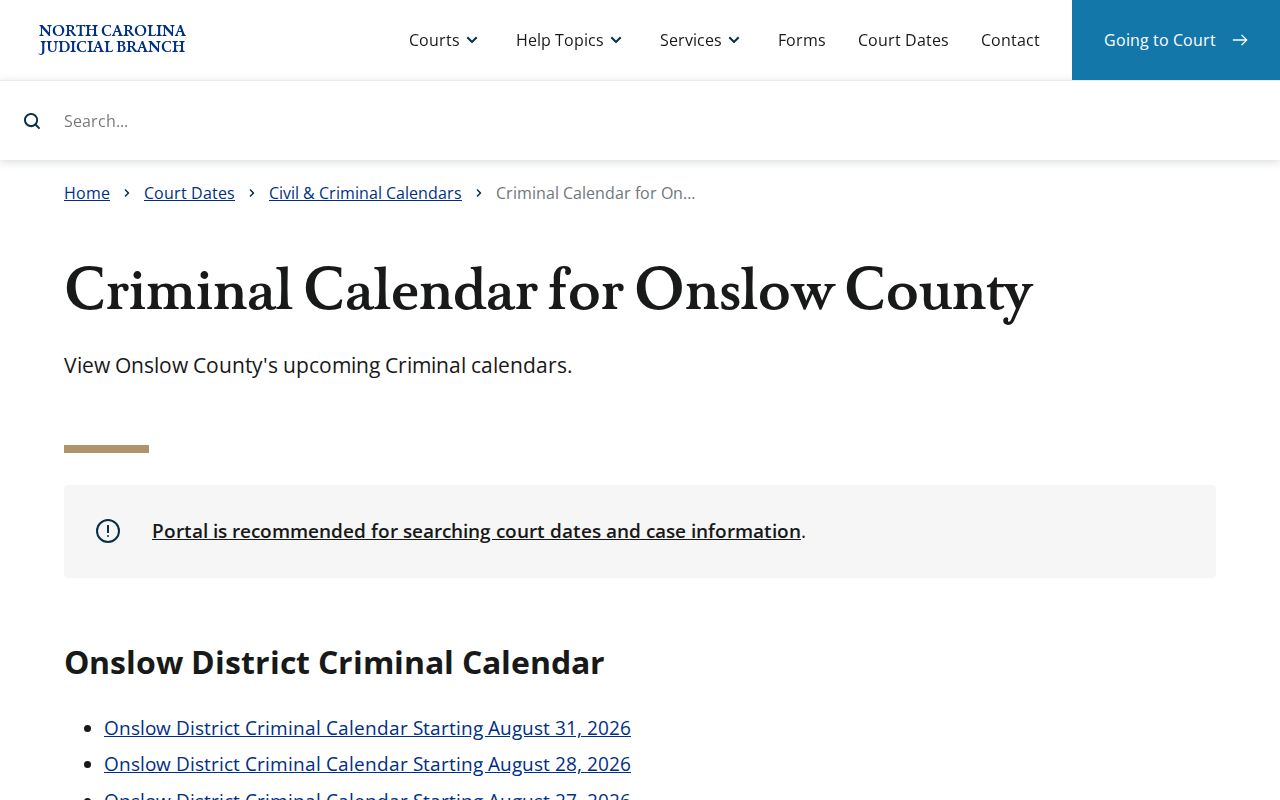
A posted calendar only shows a session that was scheduled. It does not prove the hearing still stands. A reset may have occurred. If so, trust the current Hearing entry on the docket, or call the court office to confirm. For a quick look at how published sessions appear, the official criminal-calendar results interface mirrors what the clerk's calendar channel displays.
Sometimes the live data and an old calendar disagree. Call with the case number ready. The Superior Court Judges' office is 910-478-3616, and the District Court Judges' office is 910-478-3612. Those offices confirm settings, but they are not substitutes for the Case Summary.
Which Court Holds Criminal Dockets
Felony trials in Onslow County belong to Superior Court. Misdemeanors, traffic matters, and infractions mostly land in Onslow County District Court instead. Both divisions sit inside North Carolina's General Court of Justice. One office keeps the paper for both. The Onslow County Clerk of Superior Court maintains the criminal files and their indexes.
Knowing the buildings helps if you go in person. District Court sits at 602 Anne Street in Jacksonville, while Superior Court is at 625 Court Street. Magistrates at 717 Court Street handle preliminary criminal work, though their line, 910-478-3619, is not a docket search service for the public. When a result lists its division, that assignment tells you which court has the case.
When an Onslow County Criminal Docket Needs an In-Person Check
Portal is not the only route. Clerk offices offer public self-service terminals that search criminal cases by name, case number, or even victim or witness name, and Onslow gained eCourts kiosks in 2025 with scanning, printing, and payment built in. A terminal or kiosk earns its keep when an online view looks thin, when a paper or local electronic file needs eyes-on review, or when a case type behaves differently at a kiosk than it does in anonymous Portal access.
Some gaps are deliberate. The state's juvenile-record confidentiality statute is a plain reminder that a missing result may be restricted by law rather than hidden behind the wrong screen.
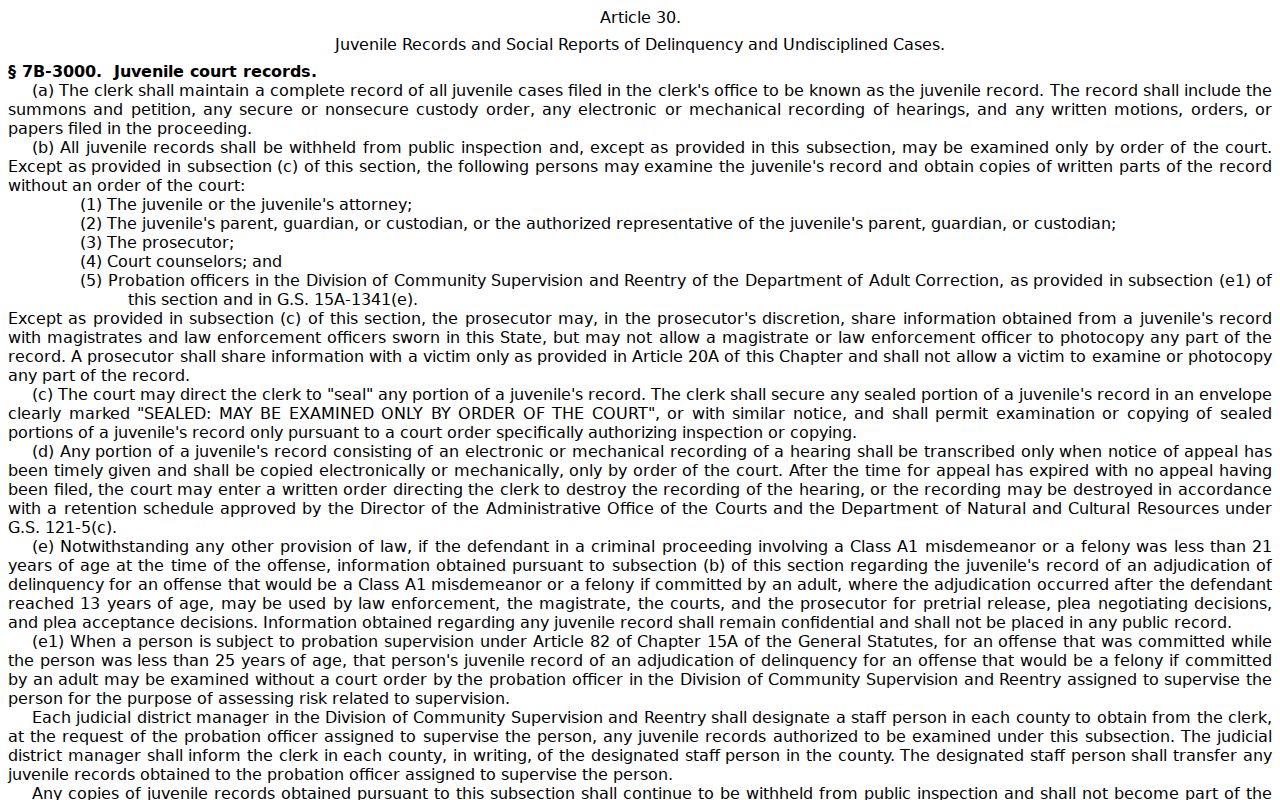
No kiosk can break a seal. Confidential and juvenile restrictions stand regardless of which terminal you use. For a public file or a copy question, call the Clerk at 910-478-3600. And sending a request through NCAOC's administrative public-record process does not hand NCAOC the custody of an Onslow court file. That custody stays with the local Clerk.
Public Access and Sealed Criminal Dockets
Reading a criminal Case Summary or documents online through Portal is free and easy. But Portal is not the official record. The Clerk of Superior Court keeps the authoritative Onslow County file. That office also certifies copies from it. Need a certified disposition, judgment, Case Summary, or single document? Start by pulling the case number and naming the document if you can. Then ask the Onslow County Clerk about what you need. Say whether you want an ordinary copy, a certificate under seal, or some other authentication. The office will tell you which form fits the purpose.
Key rules:
N.C.G.S. 7A-109 requires clerks to keep records, files, dockets, and indexes and makes them open for public inspection during regular office hours unless law prohibits access.
N.C.G.S. 7B-3000 withholds juvenile records from public inspection and generally requires a court order for examination outside specified statutory access.
N.C.G.S. 15A-151 addresses confidentiality of expunged records held by the Clerk, so an expunged matter is not expected to remain publicly visible.
Onslow County Criminal Docket Copies and Certification
A Portal printout can flag an event, but it is not a Clerk-certified criminal disposition. For anything formal, the Clerk's office at 625 Court Street is the local channel. It handles the file, copies, certification, and higher authentication. G.S. 7A-308 sets the baseline. That means $2.00 for the first page of each prepared copy. After that, expect $0.25 per additional page or fraction. A certificate under seal costs $3.00, and exemplification runs $10.00.
When you ask for inspection or copies, give the Clerk the returned case number. Name the specific document or Case Summary too. Say whether you need ordinary or certified treatment. The staff can then say whether the public file is open and what local procedure applies. Onslow publishes no all-purpose copy-by-email form, no certification cutoff, and no turnaround promise. So skip the presumed deadline and confirm directly.
Treat those figures as statutory baselines. They are not a guarantee that every request costs or moves the same. Before you rely on a form you found somewhere, check with the Clerk about availability, restrictions, payment, and the correct record type. Audio, when it exists and is nonconfidential, travels its own clerk request route. Ordinary Criminal District Court proceedings should not be assumed to carry a recording or transcript at all.